Pocket-lint is supported by its readers. When you buy through links on our site, we may earn an affiliate commission. Learn more
- Home
- Tablets
- Tablet reviews
- Huawei tablet reviews
BARCELONA (Pocket-lint) — What do you get when you cross a table with a Kindle? May sound like the beginning of a terrible joke, but it’s presumably the question Huawei asked itself before giving birth to the MatePad Paper.

It’s a really interesting concept as part of its Super Device announcement in Barcelona for MWC 2022. It’s part tablet, part e-reader, designed predominantly to be a productivity tool that fits into your existing set up.
- 225.2 x 182.7 x 6.65 mm
- 360 grams weight
- Fingerprint power button
- Type-C port
- Black, Khaki and Blue finishes
Where the MatePad Paper definitely isn’t like a Kindle is when it comes to size and finish. It’s designed to work as well as a tablet as it does an e-reader, and that means it’s significantly bigger than Amazon’s portable e-readers. It needs to be to fit in that 10.3-inch display, and the surrounding bezels.
For the most part, those bezels are quite thin, with more of a chunky ‘handle’ running down one side of the tablet. This gives you somewhere practical to hold without touching the immediate bezel of the display. It’s nice to hold too, featuring an imitation leather layer that covers the entire rear, and wraps around to the grip on the side. While black is seen as the 'default', you'll also be able to get it in a khaki or blue finish when it's available to buy.
It’s slim and light — at 360 grams and just 6.65mm — so on first impressions it didn’t seem unwieldy or heavy at all. It’s something you could comfortably sit with on your lap or — at a push — even hold in one hand. Although its width and height may mean it’s a bit too big to hold this way practically for a long period of time.
Port and buttons wise, it’s pretty minimal, in a good way. The power button on the top also doubles as a fingerprint reader, and there’s a single volume rocker switch on the right side. It also features a Type-C port for charging and file transfers, and two speaker grilles.
Those particular speakers have been tuned primarily to enhance vocal clarity, not bassy and full for music. That means, decent for podcasts and audio books, but probably not for media consumption.
- 10.3-inch E Ink display
- 1872 x 1404 resolution — 227 ppi
- 32 level reading light — 16 grey levels
- M-Pencil compatible touchscreen — paper-like anti-reflective texture
The big differentiating factor — at least when comparing this to a ‘normal’ tablet — is the display. It’s an E Ink panel, which means monochrome, black and white screen. Or technically, black, white and grey, with 16 levels of grey to help distinguish areas of graphics with different darkness levels.
With 32 levels of brightness from the screen’s LED lighting system, you can read it in the dark, but because it’s E Ink, it is — by its very nature — reflective. That in turn means you don’t need a backlight at all in bright environments. So you can save energy by switching off the backlight completely when you have enough light around you to make it clearly visible.
We're unsure if the screen has auto-brightness or if it can adjust the warmth/temperature to suit your surroundings, but we'll be sure to test that when we get one in for a proper review.
Another interesting feature of the display is its texture and finish. It’s designed to feel like paper when you’re writing on it with Huawei’s M-Pencil stylus (which ships with the tablet), and that means it's anti-glare too.
Bright light shining on it doesn't make it harder to see. In fact, because of the aforementioned E Ink properties, it makes it easier. With 26ms input response when used with the stylus, the touch sensitive capabilities means you’ll not be dealing with lots of lag when scribbling notes and to-do lists.
Being E Ink does mean the refresh rate is considerably lower than your typical modern day OLED or LCD smartphone and tablet displays. That means it’s not really ideal for watching videos on, however, it has got a smart refresh rate booster feature to make it a bit more watchable than it would be naturally.
- 3625mAh battery (4 weeks standby)
- Hexa core processor
- Wi-Fi and Bluetooth 5.2
- Harmony OS 2.0
One of the interesting things — perhaps the most interesting thing — about the MatePad Paper, is that it runs a versatile operating system. You’re not limited to functions like just making handwritten notes or just e-reading. It runs a version of Harmony OS 2.0, and that means it comes with the App Gallery pre-installed, and the ability to install Android APKs through Petal Search.
Being Harmony OS 2.0 based also means that it works as part of Huawei's 'Super Device' ecosystem that lets you connect it to other Huawei devices. For instance, you can connect it to your MateBook laptop to instantly share screens and files, which could be really useful if you start a task on one and need to move onto the other.
Of course, due to the nature of the screen, it’s not worthwhile installing any media apps or games. However, there’s theoretically nothing stopping you from installing email, messaging, calendar, document editing and third party e-reading apps.
It’s Wi-Fi enabled, both 2.4GHz and 5Ghz bands, and supports both Bluetooth 5.2 and BLE (Bluetooth Low Energy). That means you can pair headphones if you want to, and even a wireless keyboard, if you see that black and white screen as an ideal productivity machine. However, with the low refresh rate of the display, it might not be the most ideal platform for that.
Of course, a big part of the appeal is using the M-Pencil (2nd gen) stylus that ships with it. The software features the ability to turn handwriting into text, and voice recording for making voice notes.
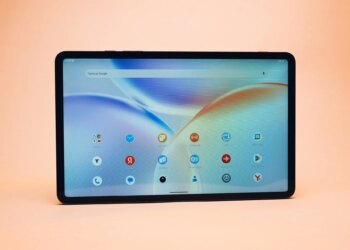
The interface isn’t your typical Android-like affair either. There is a screen with app icons, but also another one with widgets for things like to-do lists, reminders, handwritten scribbles and such.
 Best tablet 2022: Top tablets to buy today By Britta O'Boyle ·
What are the best tablets? 1. Apple iPad (2021) · 2. Amazon Fire 8 HD · 3. iPad mini (2021) 7 · 4. Samsung Galaxy Tab S5e · 5. iPad Air
As mentioned, the very fact it’s an E Ink tablet means it’s very light on the battery. So while the 3625mAh cell inside the MatePad Paper is relatively small by tablet standards, it can last up to 28 days on a full charge.
First Impressions
There’s no doubt the latest tablet from Huawei is a little niche, but we still think it’s a really interesting device. It strips away the distractions like games, media and such, and lets you get on with productivity.
Price-wise, it's not as cheap as a Kindle, but also not as expensive as a top tier tablet. Still, at €499 it's something of an investment. It is worth noting, however, that this gets you a bundle that also includes the M-Pencil (Gen 2) stylus, and a folio case to wrap it up in for protection.
Still, it's far more useful than the ReMarkable paper tablet, and a Kindle. It's a sort of combination of those two, but with installable apps. Huawei just might be on to a winner here.
Writing by Cam Bunton. Recommended for you  Huawei's MatePad Paper is an e-book reader and digital notebook all-in-one By Cam Bunton ·
  Huawei MatePad Paper initial review: An E Ink productivity machine By Cam Bunton ·
  Lenovo Tab M10 Plus 3rd Gen squeezes more screen real-estate into budget tablet By Mike Lowe ·
  Samsung Galaxy MWC Event 2022: When is it and how to watch online? By Chris Hall ·
  Best iPad Pro keyboards 2022: Turn your Apple tablet into a laptop alternative By Britta O'Boyle ·
  Samsung Galaxy Tab S8 vs S8+ vs S8 Ultra: What's the difference? By Mike Lowe ·