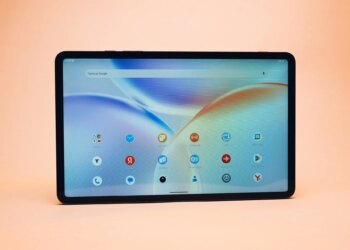
It’s big. Actually, it’s massive. Nay, gargantuan even. You get the drift. Samsung’s biggest, most powerful tablet comes in the form of the Galaxy Tab S8 Ultra, and it’s really at the epitome of the slate segment right now, even everything it brings to the table. I could have written “your hands” instead of “table” for any other tablet, but not this one. The Tab S8 Ultra is as much about size as it is about power, though when it comes to work or play, I’d say it leans towards the former. Before I get ahead of myself though, let me delve into the finer points.
Table of Contents
Design and display
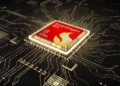
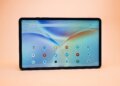
With Qualcomm’s Snapdragon 8 Gen 1 SoC under the hood and a 14.6-inch sAMOLED display dominating proceedings on the outside, the Galaxy Tab S8 Ultra is as powerful as it is big. It’s the first Ultra model in Samsung’s premium Tab S series of slates, and it conforms to its moniker by rocking top-notch specs. Clad in an aluminium frame, the tablet is quite slim at 5.5mm, and solidly built too. While its screen size might be one of its strongest suits, it does impact usability negatively if you’re considering it solely for using it as a conventional tablet, i.e. for consuming content. You see, while that screen definitely works well for entertainment, the tablet’s large size and 726g weight mean that it’s difficult to hold in your hands for prolonged periods. That is further compounded by the fact that there’s no built-in kickstand, and you need to prop it up against something or use a tablet stand for basic things like streaming videos or using it for video calls. Add the S Pen (which is included), and the keyboard cover (which is an optional purchase that will set you back by Rs 22,999) however, and things change for the better. Both these accessories turn the device into a more productivity-focussed machine that should appeal to creators.
The Tab S8 Ultra can be had in any colour, as long as it’s Graphite. The back of the tablet is a vast expanse of grey, with Samsung branding on the top left (when held in landscape orientation), the camera module on the top right, and a black strip where the S Pen attaches magnetically. The top is home to the power key and volume rocker, while the bottom sports the connector for the keyboard. Holes for the quad speakers can be seen on both left and right edges, while the Type-C port is present on the left.